When I started setting goals, it was a frustrating experience. I started off by writing goals in my journal and just hoping by the grace of God that they’d somehow get done. Often times, I’d overloaded my plate with ambiguous or overwhelming lists of things. I had to meditate, then go for a run, then practice, then make the dentists appointment, and then finally gain 5,000 subscribers on YouTube. I, of course, failed often. When I’d accomplished everything, it was by sheer willpower and stressing myself out until I could cross it out in my notes and finally take a sigh of relief.
James Clear saved me with many axioms in Atomic Habits. I took those lessons and (with the help of Claude) made a practical dashboard for drummers like us to stop sweating the small stuff and practice more effectively.
It’s important to note, this is a place for intentions. It is not: a checklist, a goal or progress tracker, or a strict set of requirements to hold yourself to. The intention is reducing ambiguity and resistance while creating continuity throughout a busy week.
How it Works
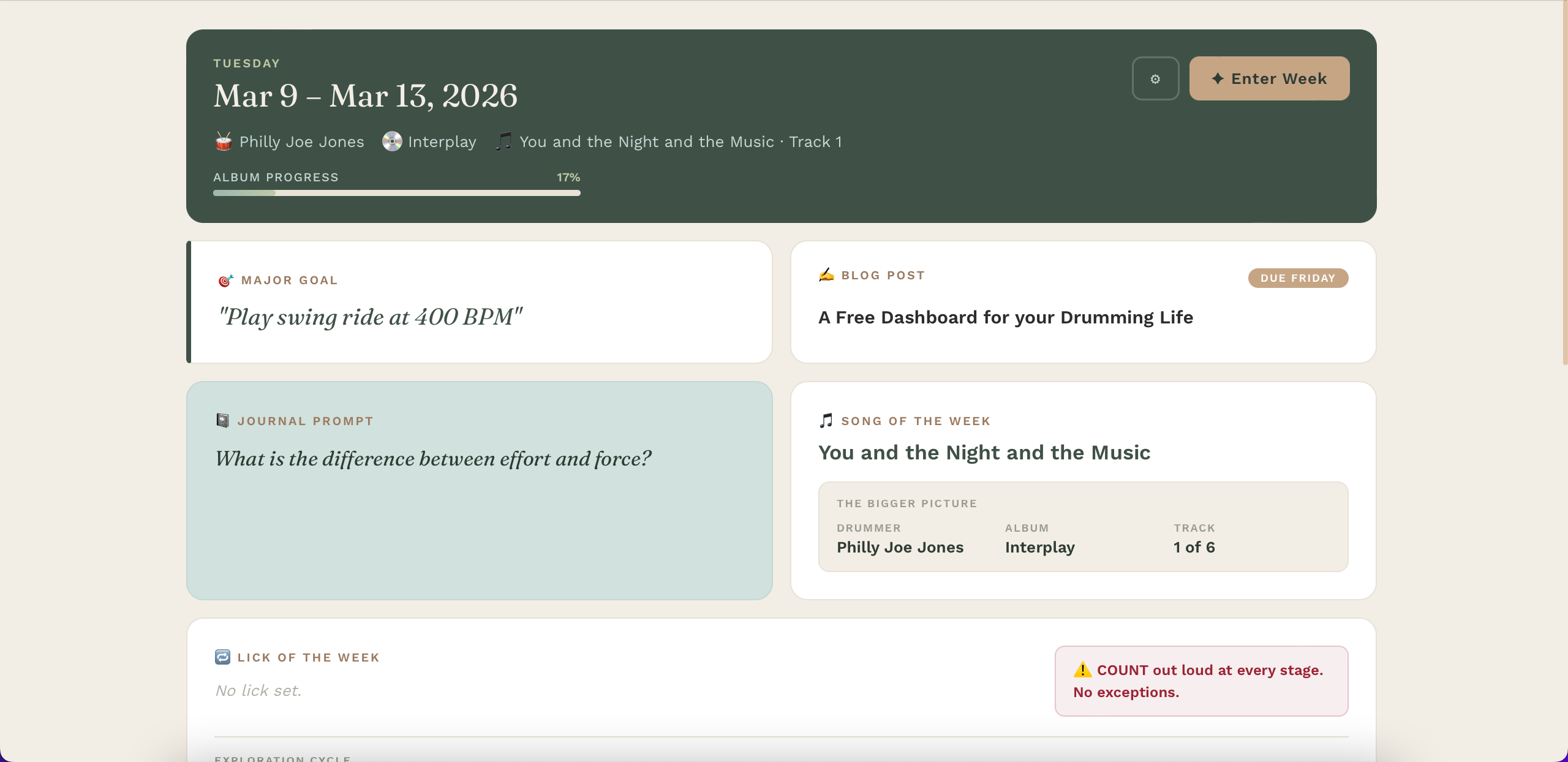
The front page displays your weekly goal, a journaling prompt, and various practice intentions like song and lick of the week. The idea behind the dashboard is making obvious your intentions at a glance, which I’ve found removes ambiguity in building a solid and consistent practice. At the very least, it removes resistance to grinding through rudiments. In this panel, it also displays a custom built set of practice regimes for one, two, and three hour practice slots. Having selected these ahead of time makes having an effective practice much more straight forward.
Using it is just a matter of getting it set up on your phone, then looking at it once, maybe twice, a day. Simple as that! I’ve found that just having the reminder there is a better tool for unconcious aligment with these goals than any other system.
Setting Up
There are two main instruments at our disposal:
- the persistent settings and
- the weekly intentions.
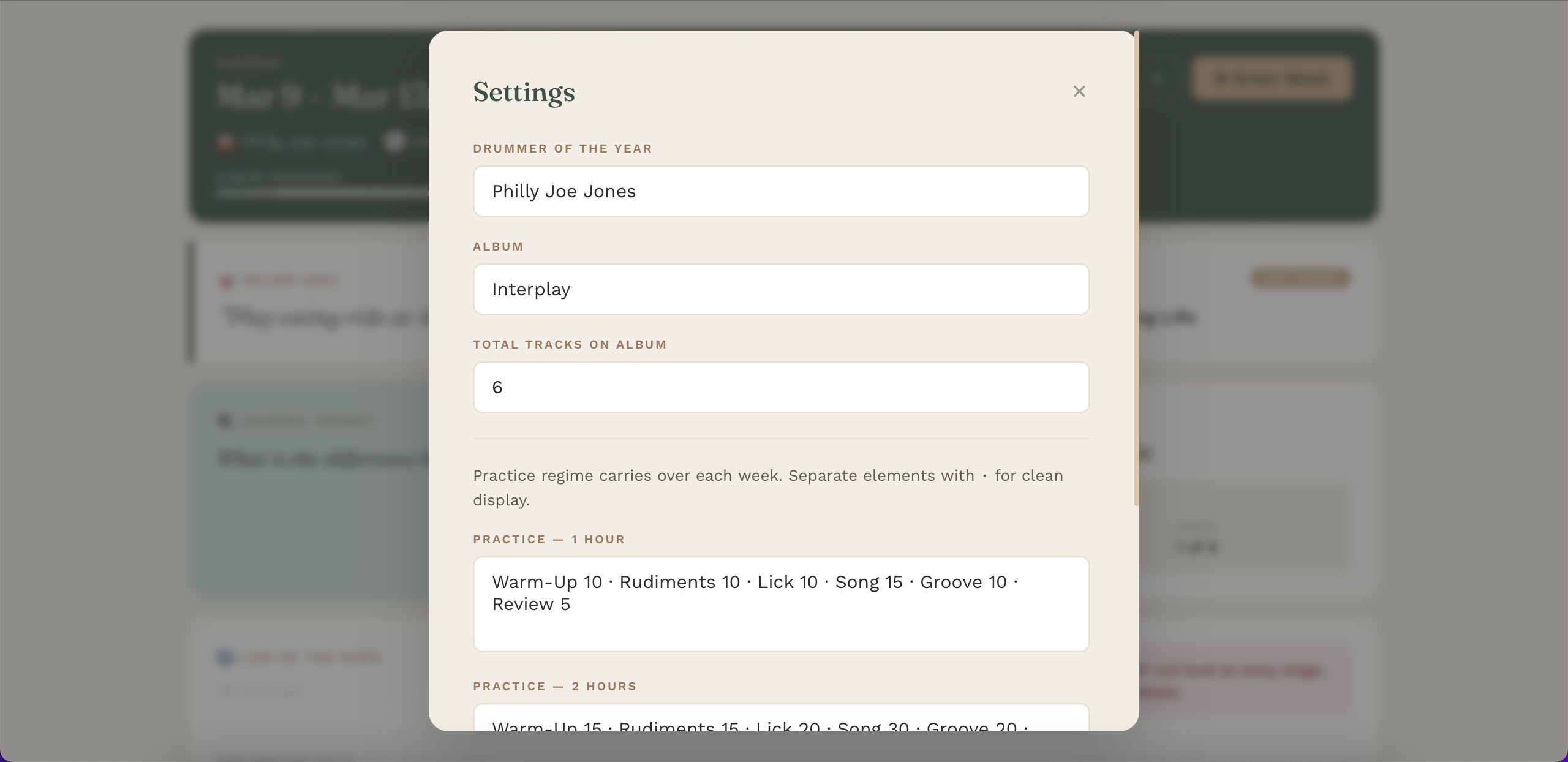
Persistent settings follow a system that I’ve started working with at the time of the writing and will write a different post about later on.The essence is that I like to pick a drummer to study every year by doing a deep dive on each of their most influential albums one-by-one. So there is a setting for storing this drummer, the album, and the number of tracks on that album which measures progress. The only other persistent setting then is the set up for different practice regiments. In here, you’ll put the different sections of a practice my naming the exercise and then putting next to it how many minutes you’ll spend on it. Separate each exercise by ‘·’.
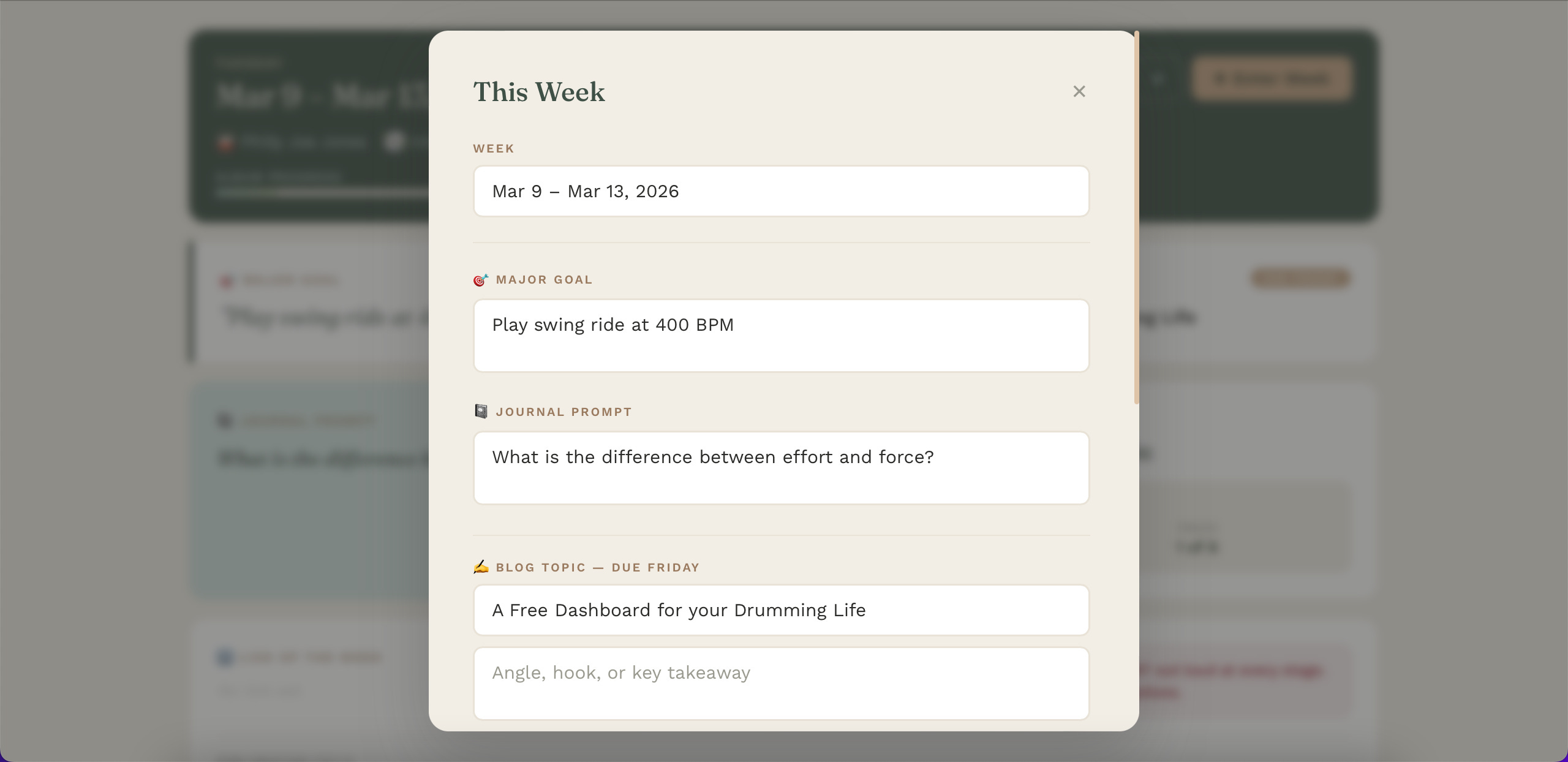
Weekly Intentions is where you’ll list out a major goal, journaling prompt, this week’s song (and how far into the album it is), and a lick of the week. Again, this is a space for setting intentions and observing them.
How to Install
Computer. Open https://zrm-dashboard.vercel.app.
Phone. Open https://zrm-dashboard.vercel.app. Then Share → “Add to Home Screen.” It gets its own icon, opens full-screen, and behaves like an app.
This dashboard is still in an early stage of a much grander vision I have for creating practice plans for other drummers. I’d like to get native support, cloud storage, and a more comprehensive set of practice plans. I’m planning to make this more granular as time goes on. But for blogging drummers bent on mindfulness who are learning a new genre, this is the perfect tool for you!
Happy drumming!